Offer progressive discounts based on order quantities. Define up to 5 tiers with increasing discounts to encourage larger purchases.
Accessing the configuration
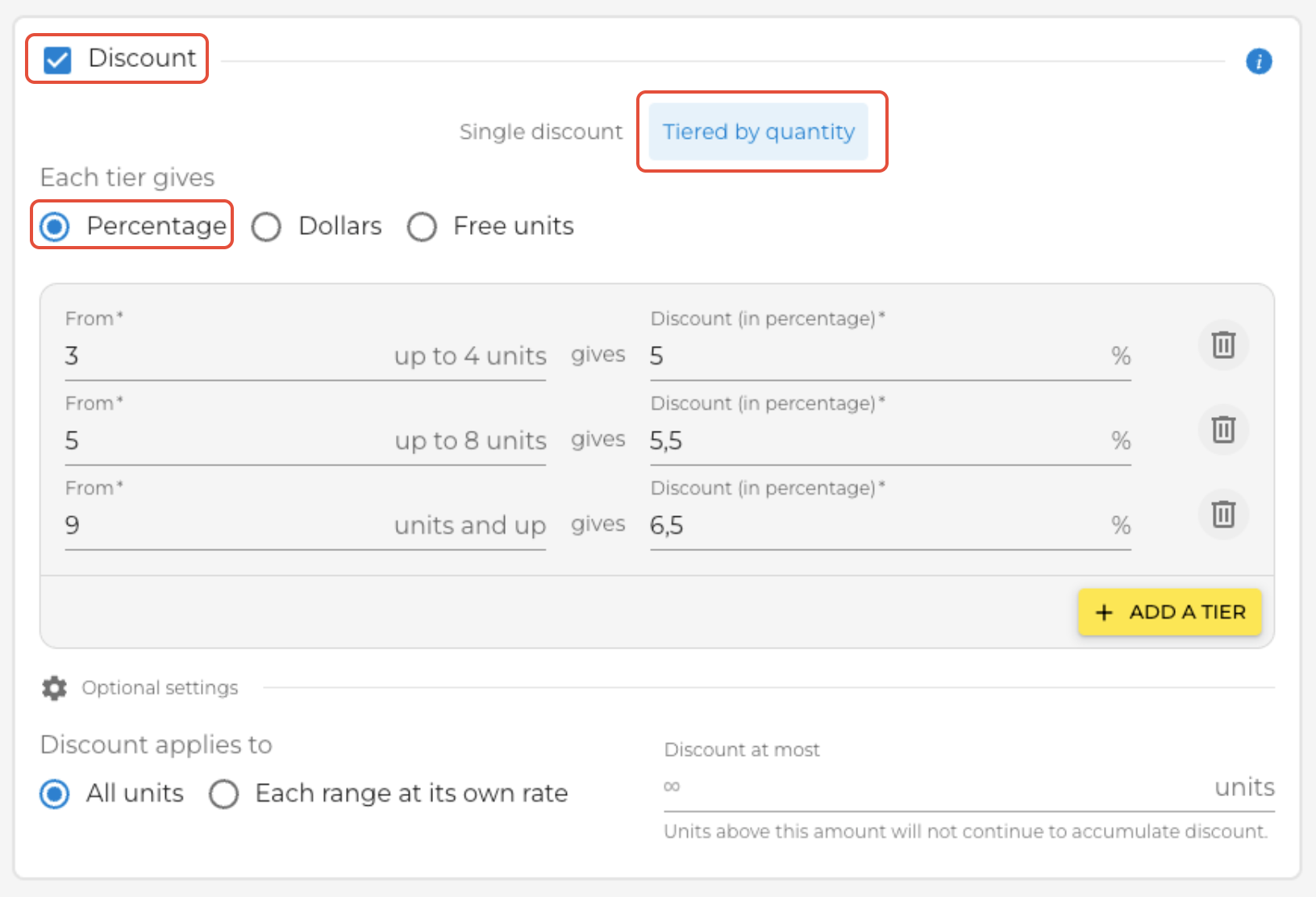
- Go to "Sales Rules"
- Select or create a rule
- Enable "Discount"
- Click on the "Tiered by quantity" tab
Setting up your tiers
For each tier, define:
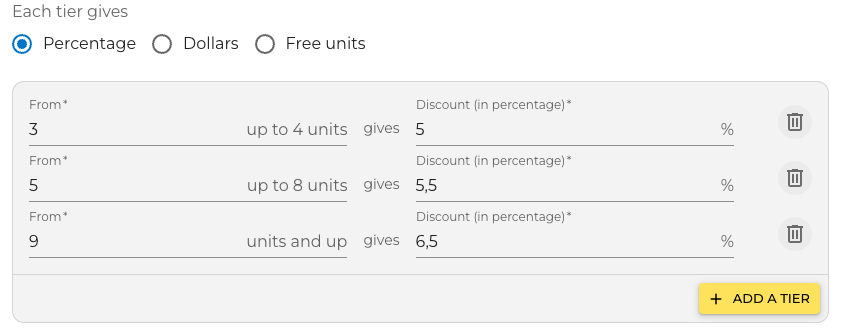
- Minimum quantity (From) : The quantity at which this tier activates. Ex: "From 5" means this tier applies starting at 5 products ordered.
- Discount type : Percentage (%), Amount ($), or Free products
- Discount value : The % or amount granted. Ex: 5%, $2.50, or 1 free product
| Example | Configuration |
|---|---|
| From 3 to 4 products | 5% discount |
| From 5 to 8 products | 5.5% discount |
| From 9 products + | 6.5% discount |
⚠️ Important
MAXIMUM 5 TIERS. All tiers in the same rule must use the same discount type (you cannot mix % and $).
Advanced options
How to apply the discount:
- "All products" → The discount applies to ALL products ordered.Example: If you order 25 products and reach the 6.5% tier, all 25 products receive a 6.5% discount.
- "Per tier" → Each tier keeps its own discount.Example: On 25 products: the first 3 at 5%, the next 5 at 5.5%, and the last 17 at 6.5%.
Cap the discount: Enter a maximum number of discounted products (e.g., 50). Products beyond this number receive no discount.
Example: cases of juice with free products
- Discount type: "Free products"
- Tiers:
- From 6 to 12 cases → 0 free cases
- From 13 to 24 cases → 1 free case
- From 25 cases + → 2 free cases
- Option: "All products"
Result: A buyer ordering 25 cases receives 25 + 2 = 27 cases.
✅ Best practice
Stick to 3-4 tiers for clarity. Use capping to protect your margins on large volumes.
Was this article helpful?
That’s Great!
Thank you for your feedback
Sorry! We couldn't be helpful
Thank you for your feedback
Feedback sent
We appreciate your effort and will try to fix the article