There are two possible payment methods via PivoHub. Bank transfer or credit card. PivoHub does not store any payment information. We work with Stripe, a global leader in payment management, to process and secure your information.
Connect a bank account
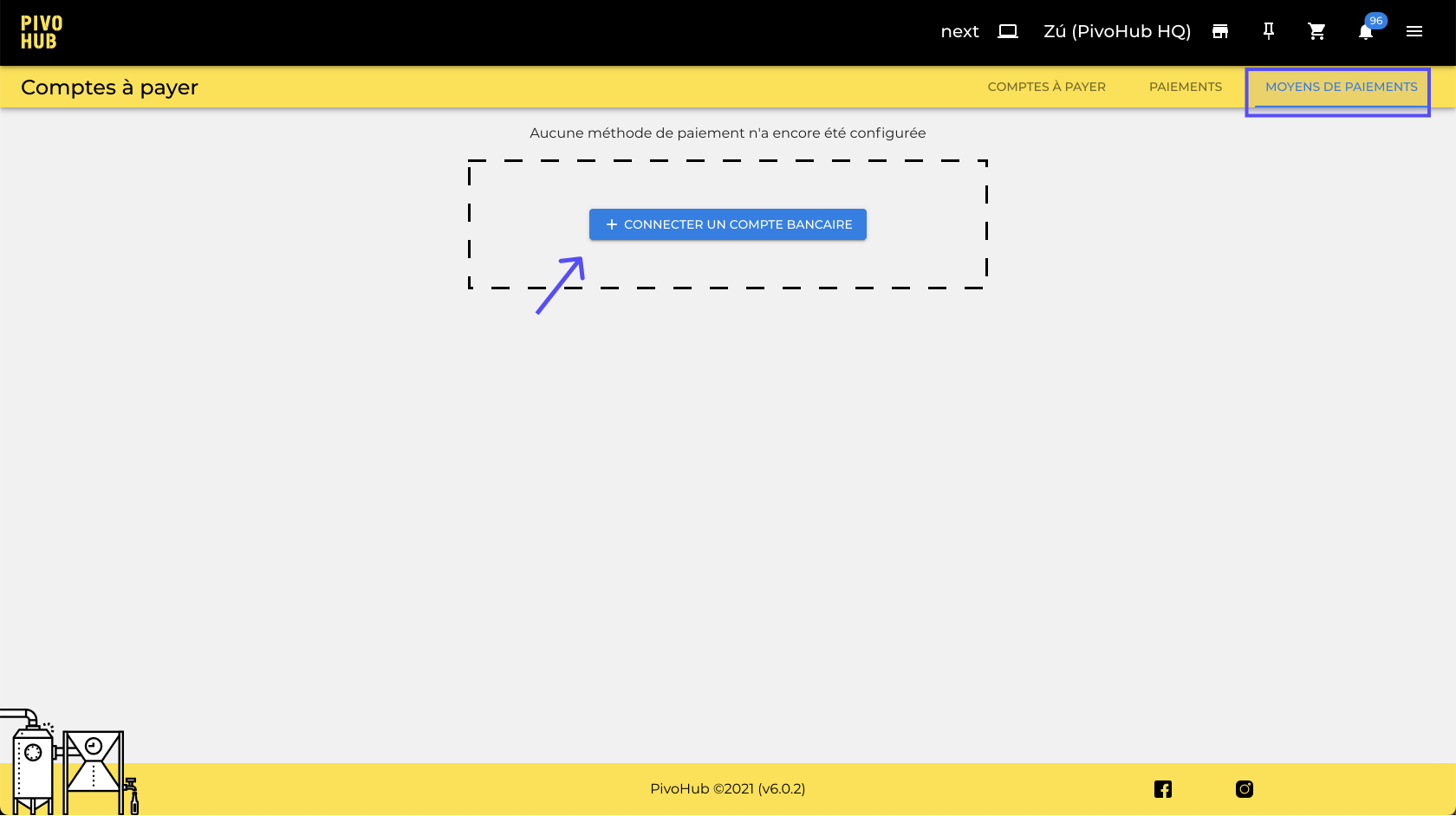
Step 1: In the "Accounts Payable" tab, navigate to "Payment Methods" and then click on "Connect a Bank Account."
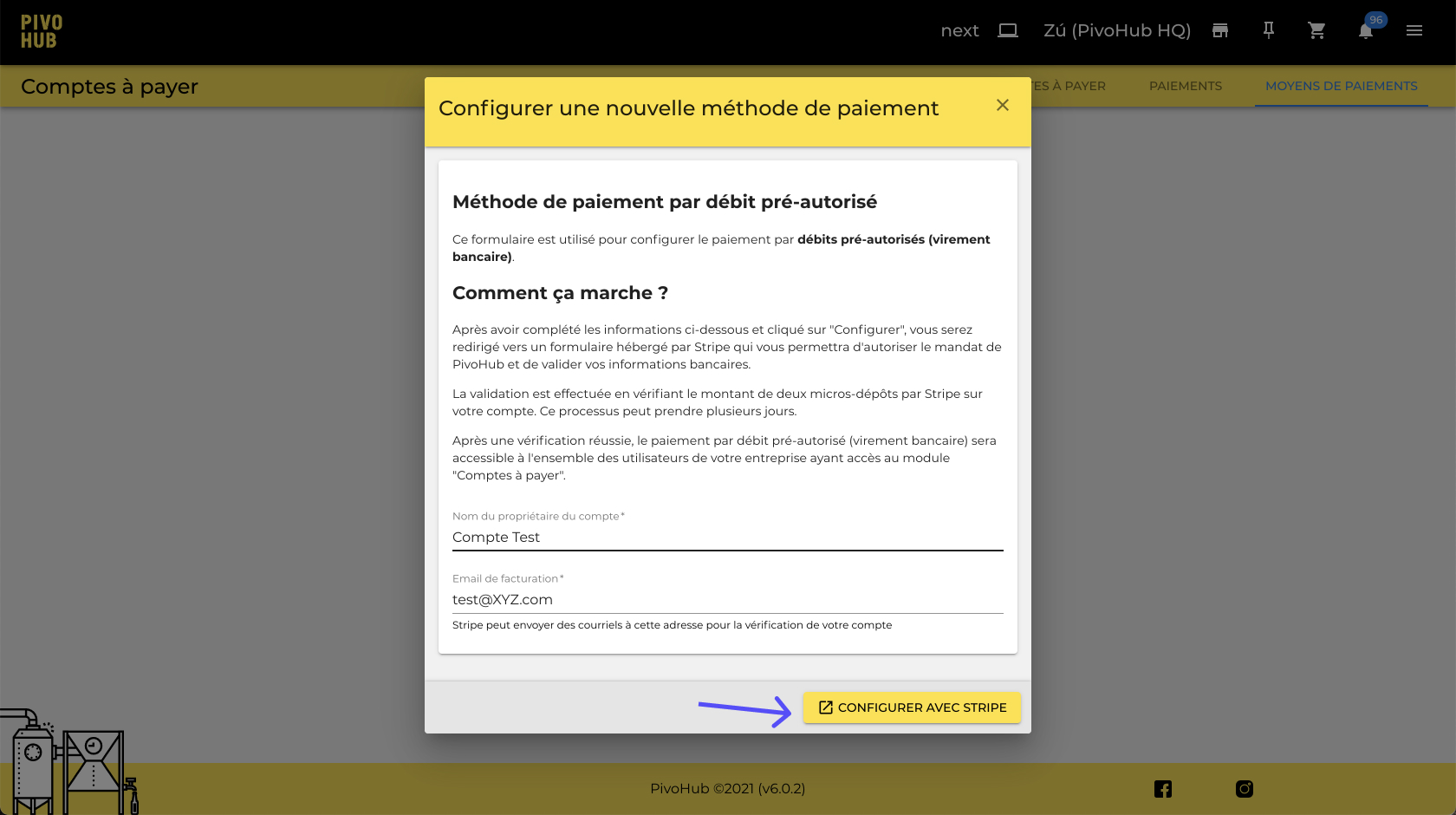
Step 2: Enter the owner's name as well as the billing email address, then press "Configure with Stripe." A window will open prompting you to connect to your financial institution.
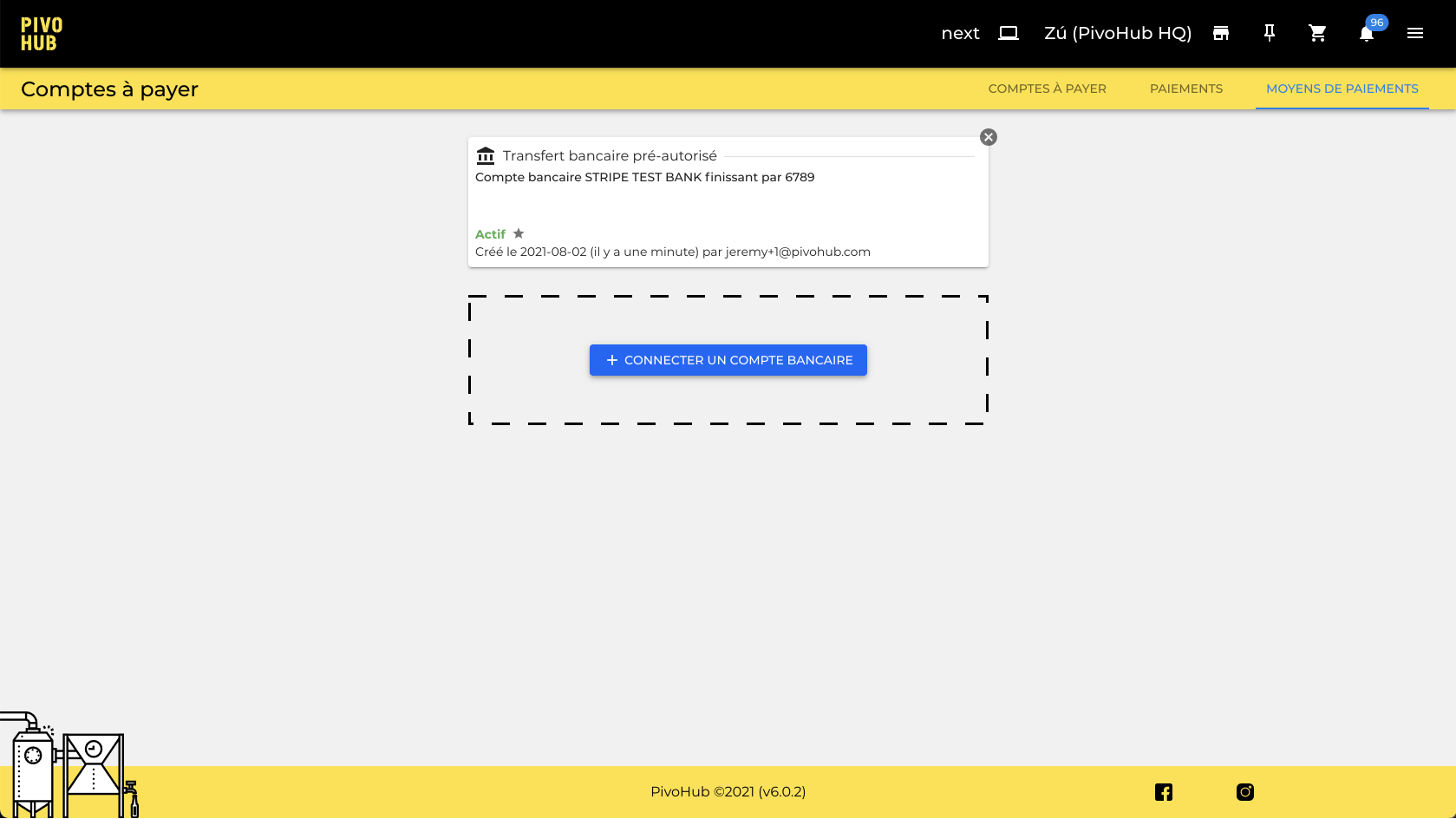
Step 3: Once the account is connected, it will appear in the list of payment methods.
Add a credit card
Step 1: From the payment window, select "New credit card..." from the Payment Method list.
Step 2: Enter your credit card information. Then pay.
Although your credit card information appears on the screen, it is entirely managed by Stripe in a 100% confidential manner.
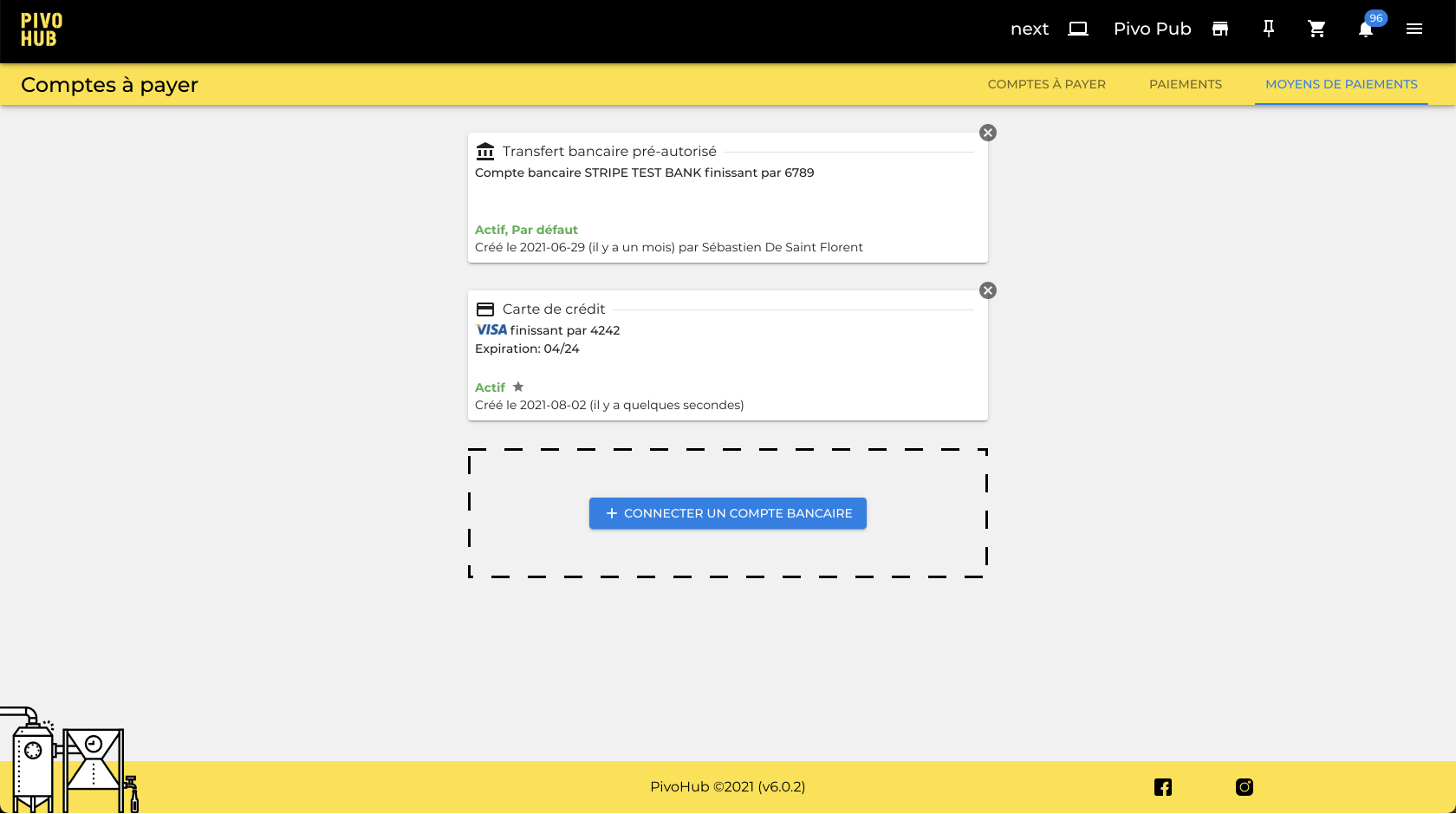
Step 3: The credit card used will then appear in the list of "Payment Methods." You will then be able to use it without having to reenter your information during the next payment.
Was this article helpful?
That’s Great!
Thank you for your feedback
Sorry! We couldn't be helpful
Thank you for your feedback
Feedback sent
We appreciate your effort and will try to fix the article