As a producer on PivoHub, you have the option to link or create a purchase account attached to your producer account. This lets you buy raw materials, food, and beverages directly from the platform — for your operations, resale, or even for your team — without juggling multiple sessions.
Step 1 — Access the "Linked accounts" module
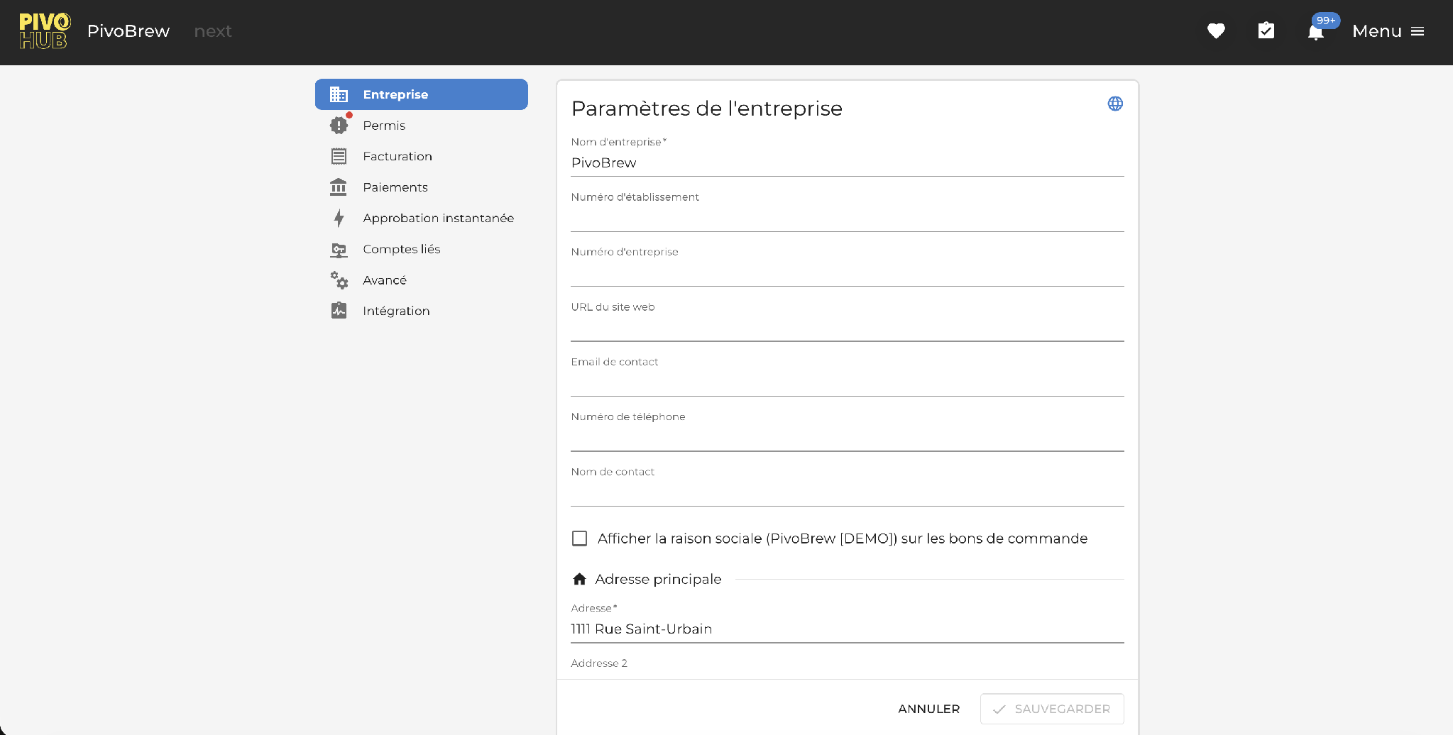
From your vendor/supplier account, go to the Settings module.
Click Menu, then Settings.
In the left-hand menu, select the Linked accounts tab.
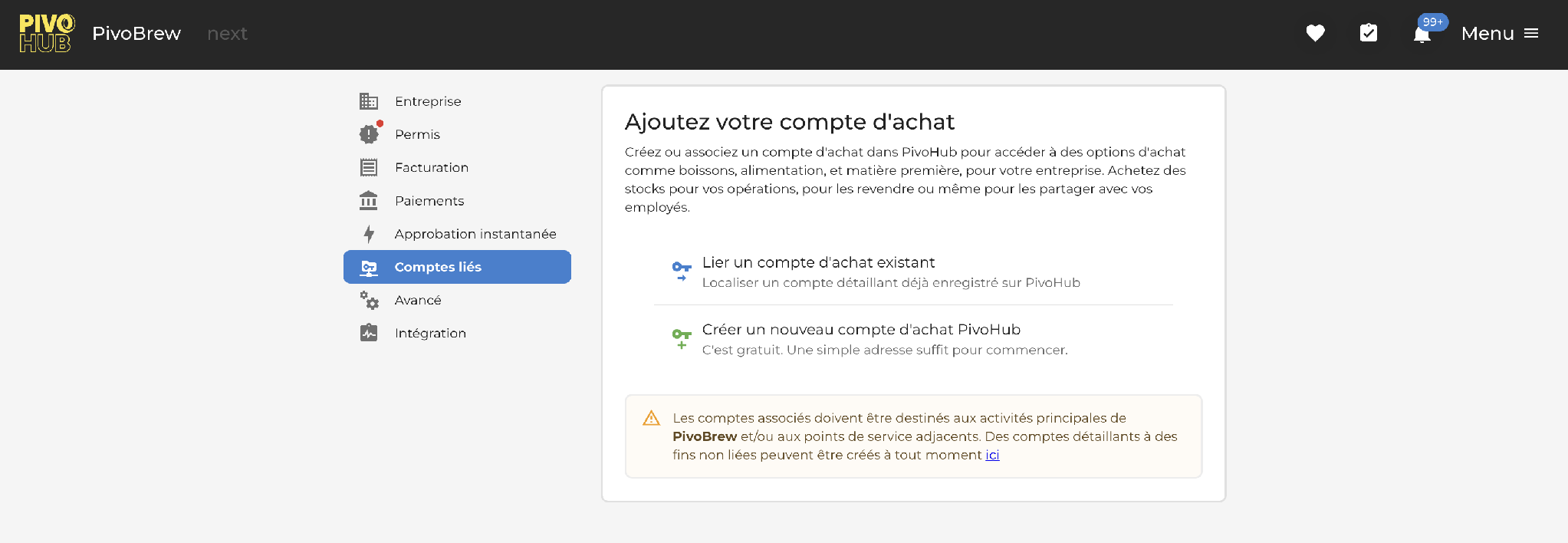
Step 2—Choose between linking an existing account or creating a new one
Once in Linked accounts, PivoHub offers two paths:
Step 3 — Create a new purchase account (full procedure)
If you choose to create a new account, PivoHub walks you through 3 sub-steps shown at the top of the window: *Identification → Confirmation → Complete*.
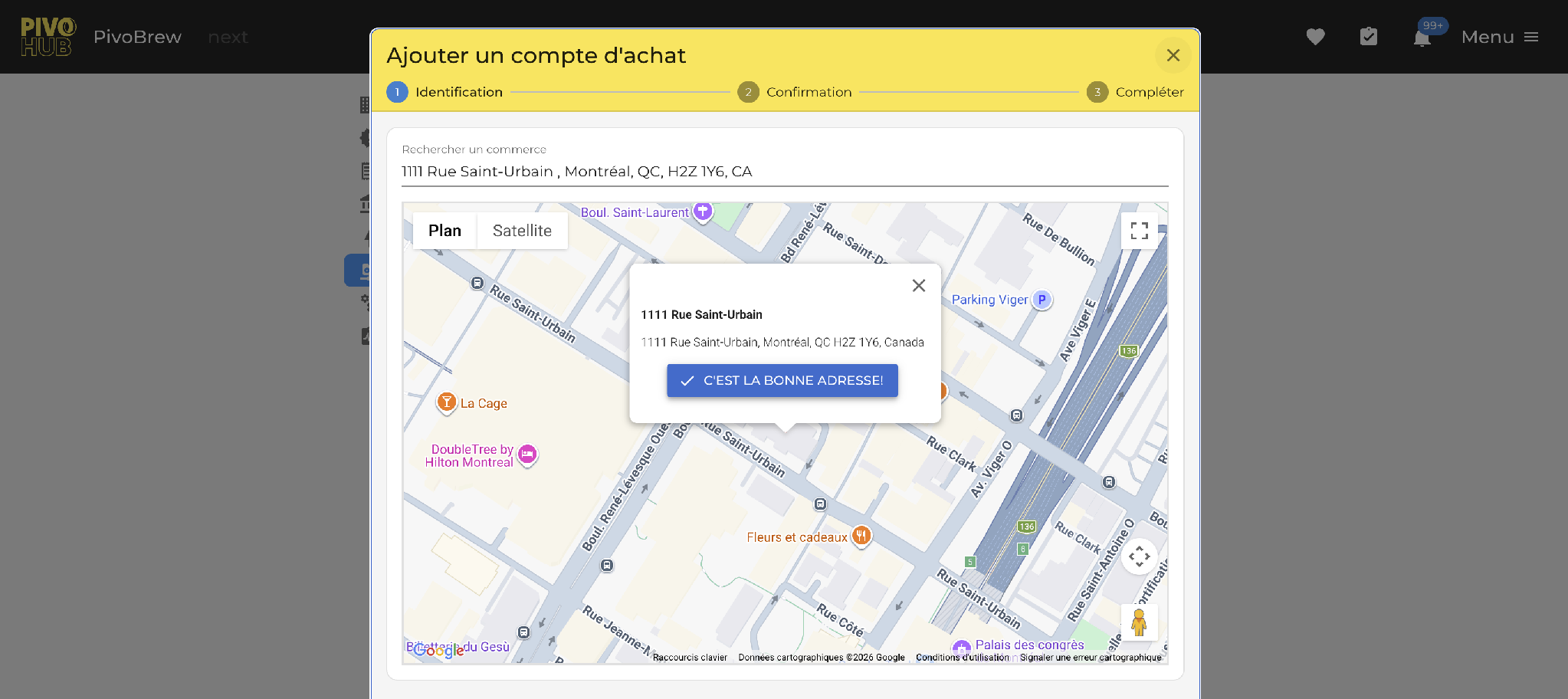
3.1 — Identification (locating the business)
Enter the street address of the business in the search field.
PivoHub automatically shows the location on a Google Maps view.
Click *CORRECT ADDRESS!* to confirm.
3.2 — Confirmation (check for duplicates)
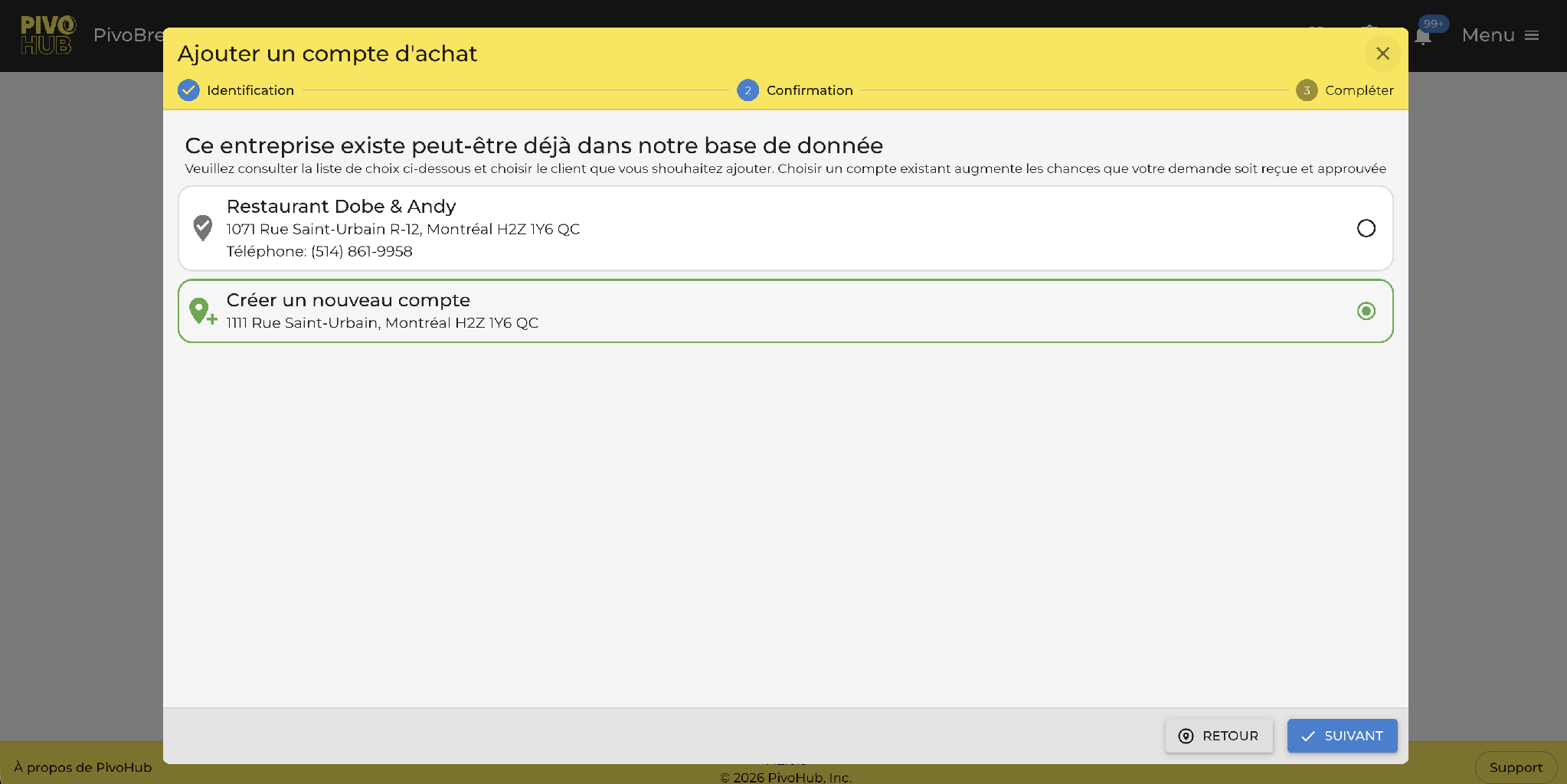
PivoHub checks whether an account already exists at this address. Two possibilities:
An existing account is suggested: select it to avoid creating a duplicate (e.g., Restaurant Dobe & Andy).
No account matches or you are a new entity: select Create a new account.
Then click NEXT.
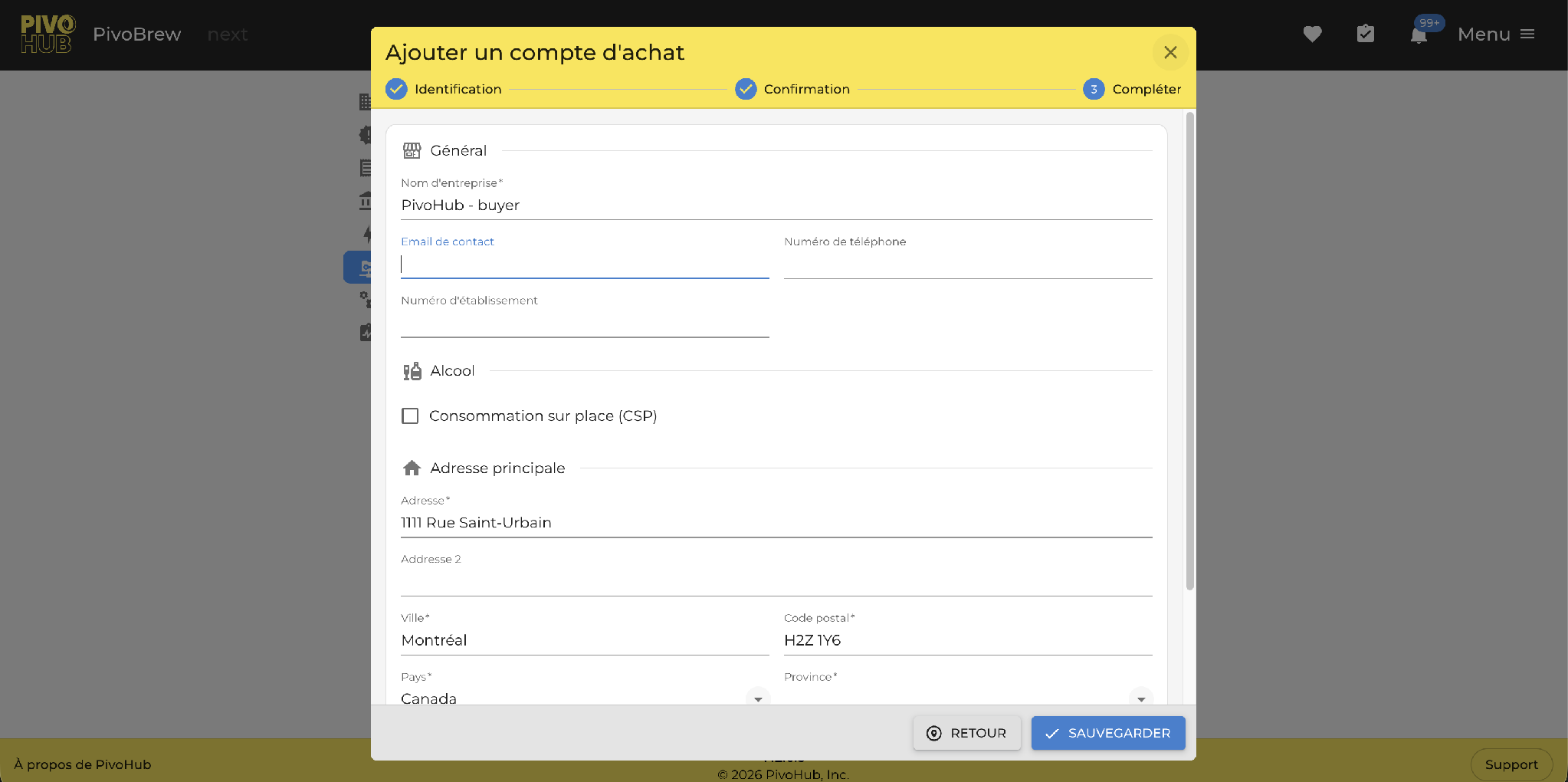
3.3 — Complete the information
Fill in the essential information for the buyer account:
Company name — required.
Contact email and phone number.
Establishment number (if applicable).
Click SAVE.
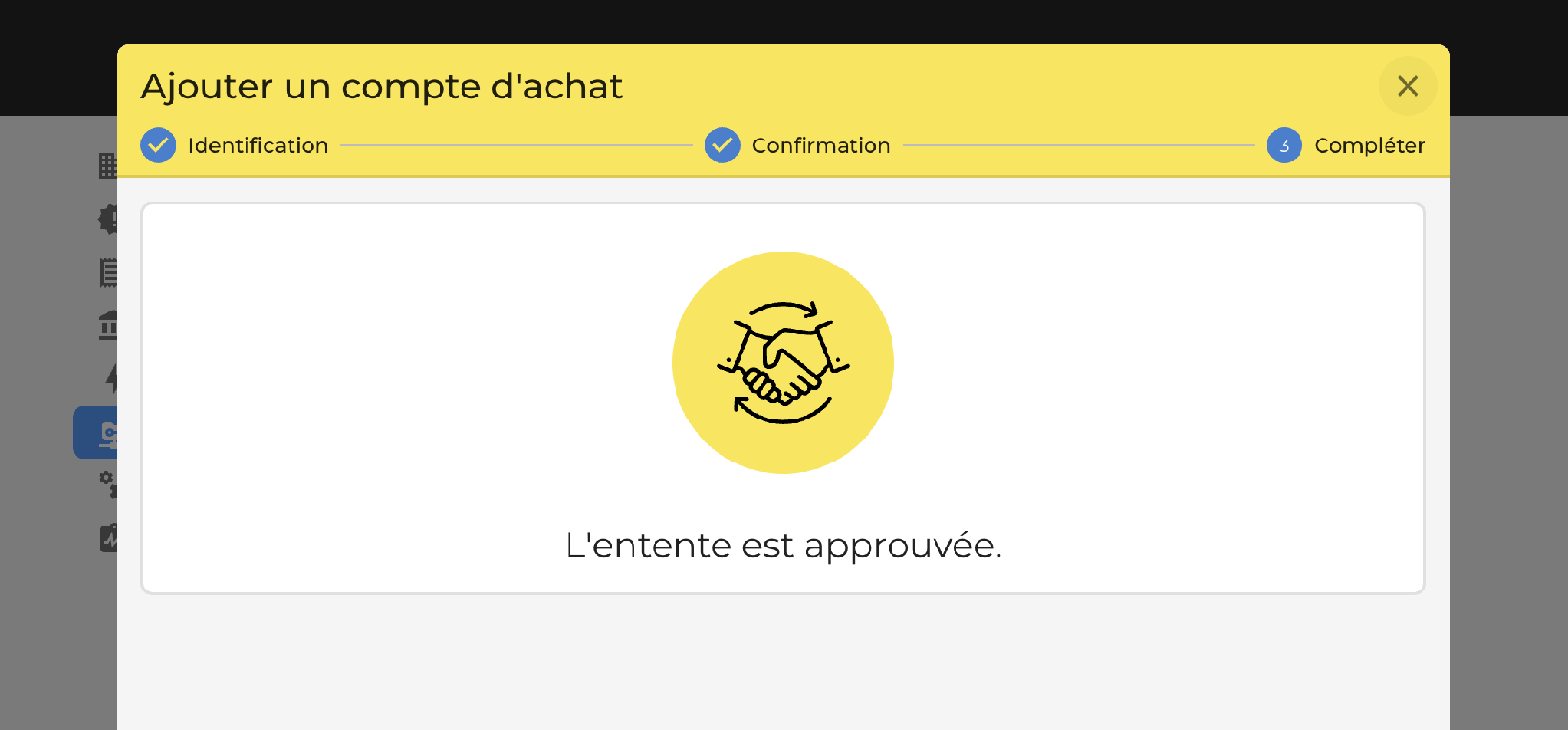
3.4 — Agreement confirmation
Once saved, PivoHub displays a visual confirmation: The agreement is approved. Your producer account is now linked to the purchase account.
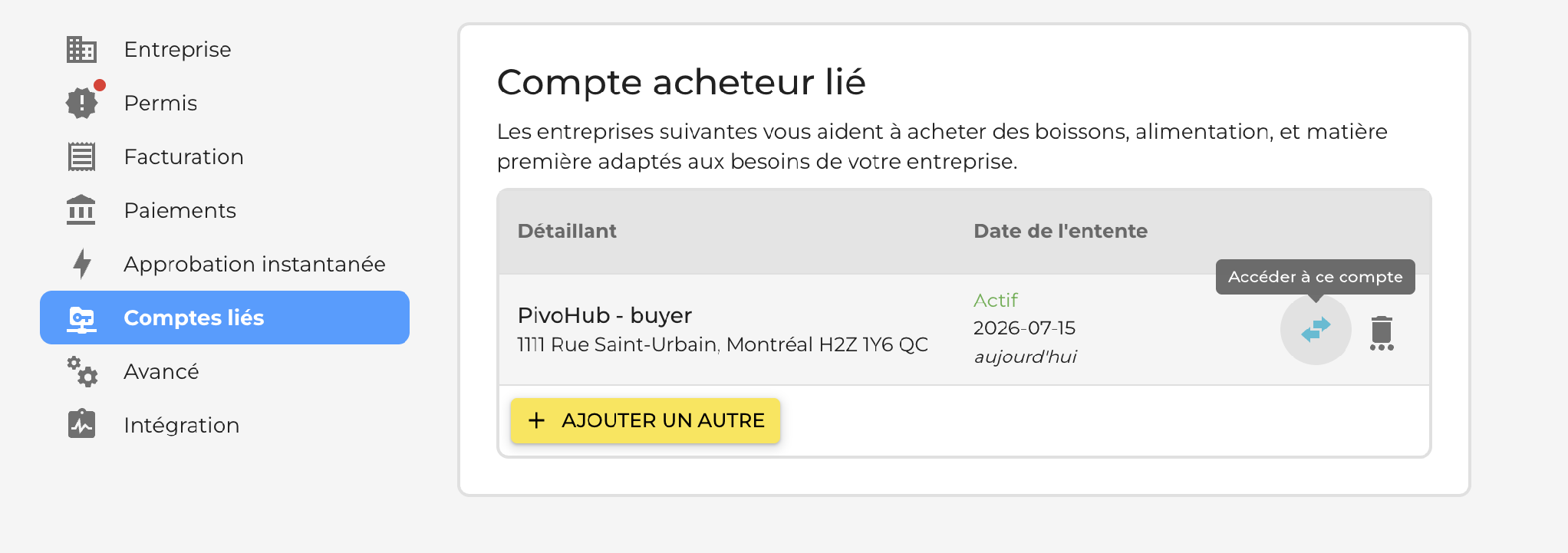
Step 4 — Switch between your accounts
Back in Linked accounts, your new buyer account appears in the list with the Active status and its agreement date.
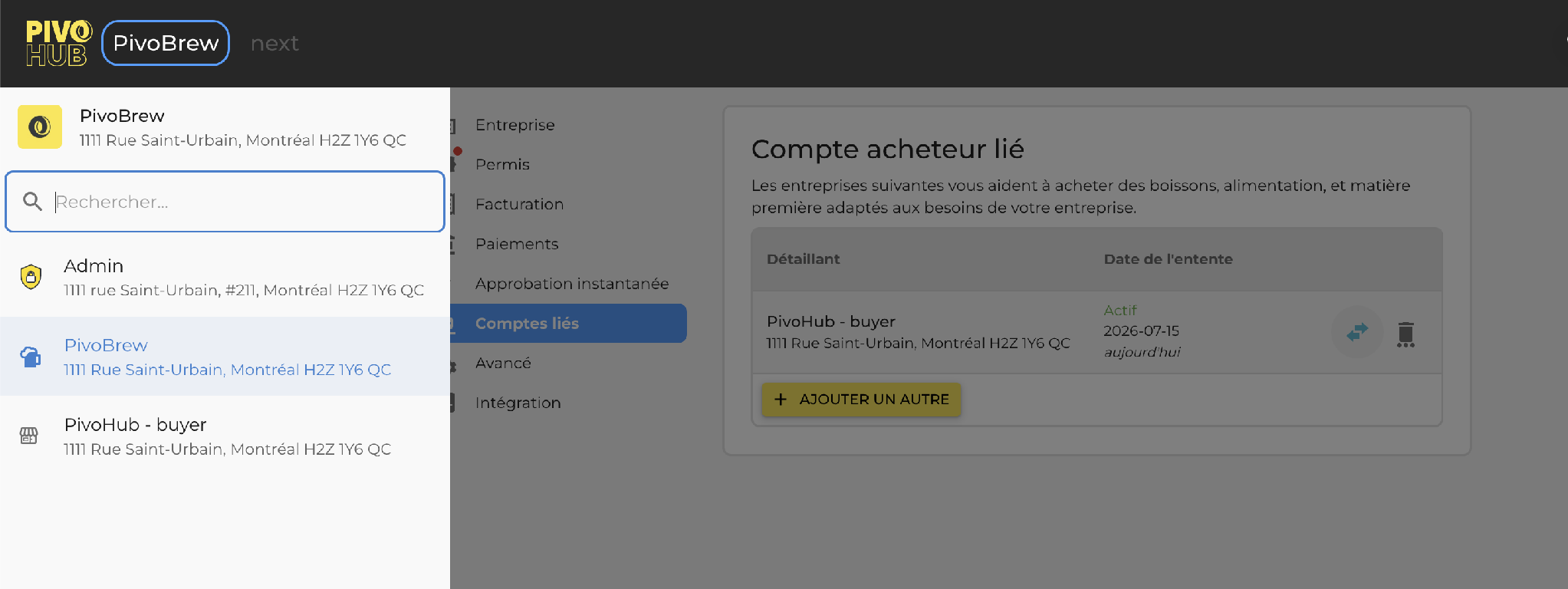
To switch between accounts:
Click the Access this account icon (double arrow) on the right of the account you want.
Or use the account switcher in the top-left corner of the navigation bar.
Congratulations! Your producer account and your new buyer account are now linked in PivoHub. In effect, the buyer account is automatically configured with the Raw materials interest enabled — so you can start right now buying directly from the platform:
Hops — local and imported varieties
Malts — base, crystal, specialty
Yeasts — dry and liquid, for every style
Complementary ingredients — sugars, spices, fruits
Supplies and packaging for your production
Head over to Marketplace or Product Discovery from your buyer account to explore suppliers and place your first order.
Need help? Reach out to our team at support@pivohub.com.
Was this article helpful?
That’s Great!
Thank you for your feedback
Sorry! We couldn't be helpful
Thank you for your feedback
Feedback sent
We appreciate your effort and will try to fix the article