A proof of delivery is a signed document — usually a scan or photo captured at the time of delivery — that confirms your order was received. You can access it directly through PivoHub.
Who
Whether a proof of delivery is provided depends on your seller or their distributor. Not all sellers offer this as part of their service, so if you are expecting one, check with the seller.
When
The document is generally added shortly before or after your order is marked as delivered — in some cases, a few days after. This allows time for the delivering company to confirm everything before closing out the delivery.
Where
Open your Orders module from the main menu. Your order list includes a Delivery proof filter (Yes / No), which makes it easy to find orders that do or do not yet have a proof of delivery attached.
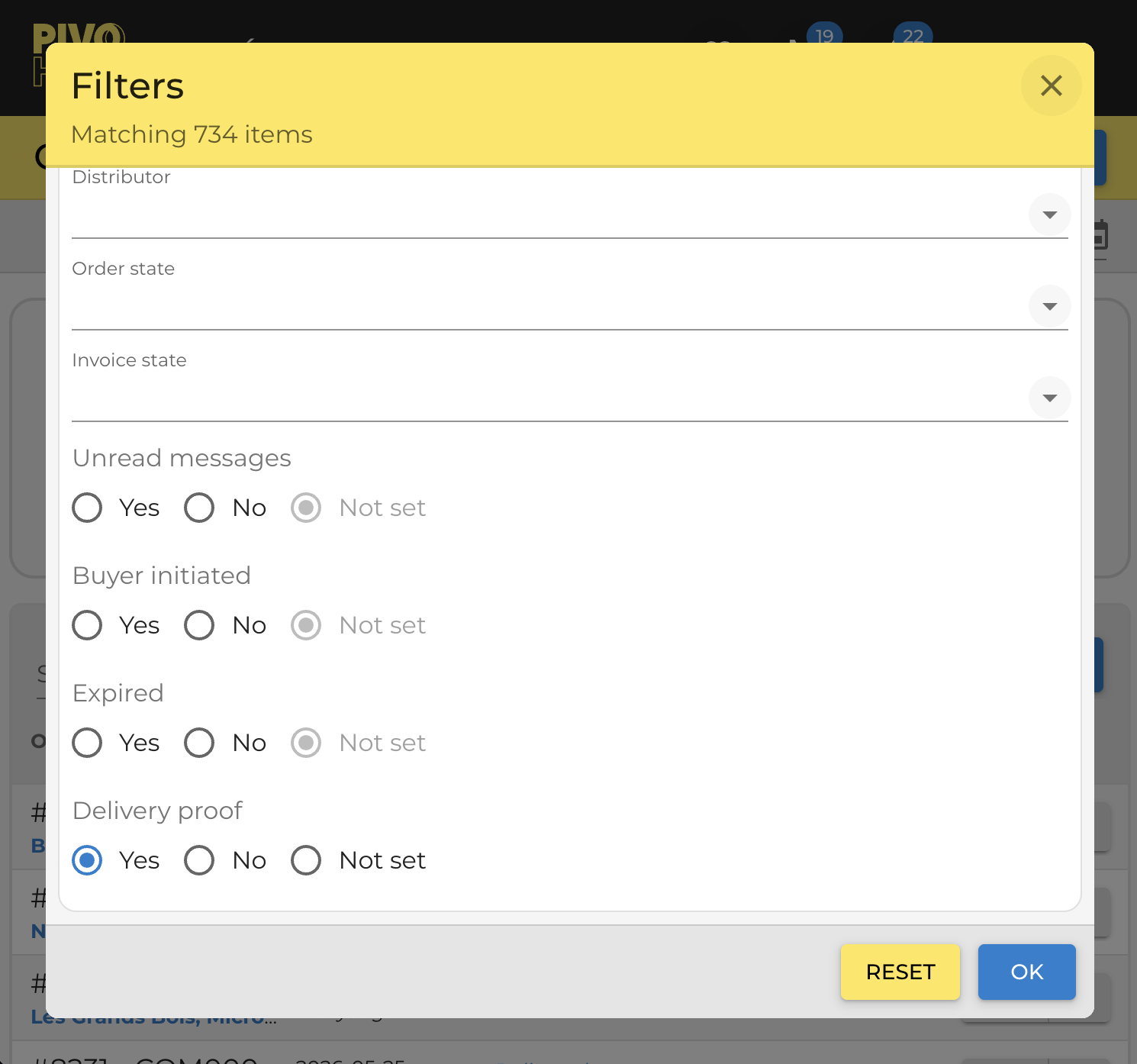
Note: a proof of delivery may be available even while your order still shows a Shipping status. In other cases, it arrives around the time the order is marked as delivered.
How
Open the relevant order and go to the Documents tab. If a proof of delivery has been provided, it appears there as its own Proof of delivery tab alongside any other documents available for that order.
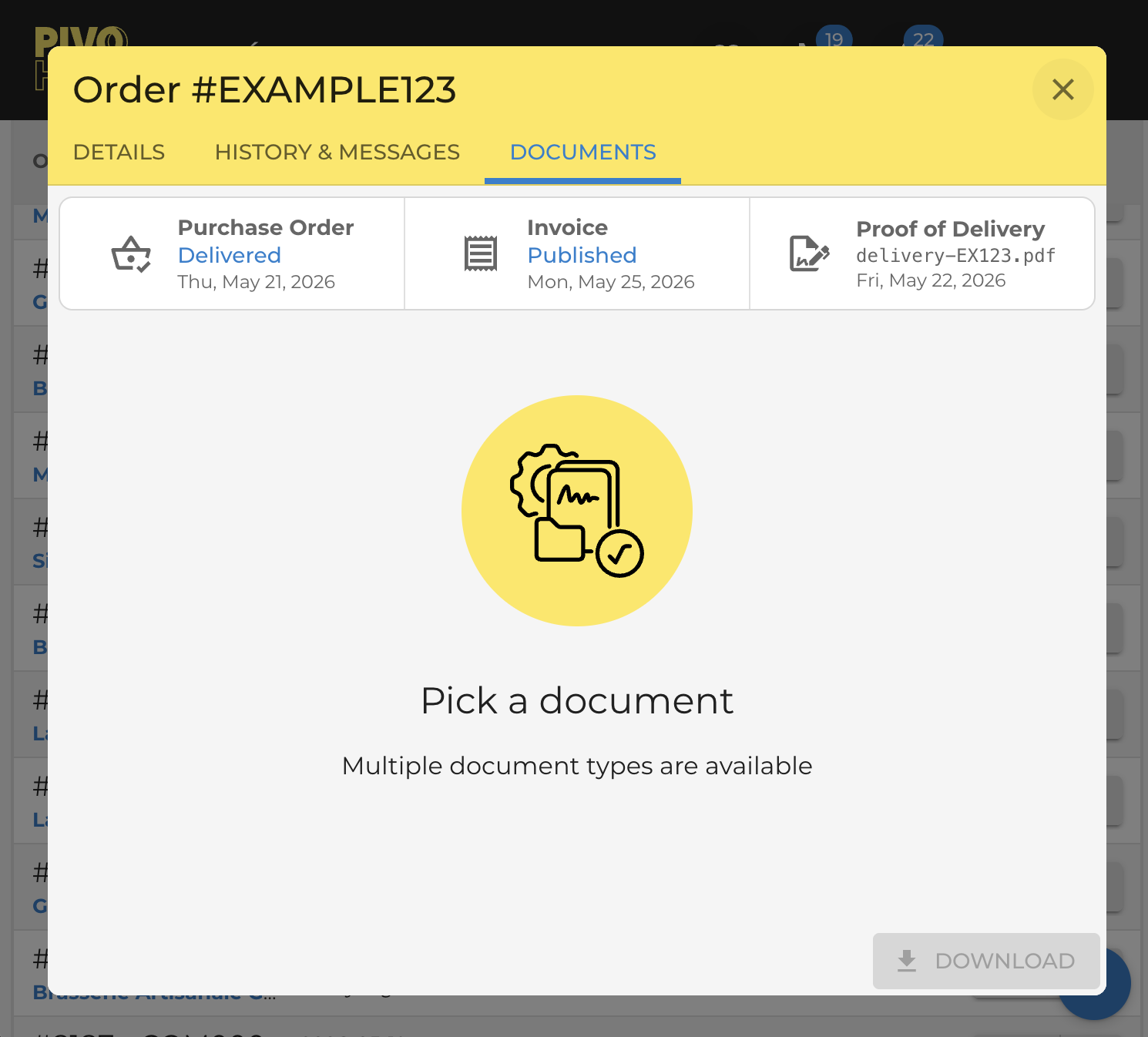
If the tab is not there yet, the document has not been uploaded — check back later. Once provided, it will appear here automatically.
You can download the document (image or PDF) directly from this tab for your own records.
If you are unsure whether a proof of delivery will be provided for your order, contact the seller or distributor. You can find their details on the order's Details tab, or reach out through the Messages tab — messages are shared between all parties on the order and saved with its history.
Was this article helpful?
That’s Great!
Thank you for your feedback
Sorry! We couldn't be helpful
Thank you for your feedback
Feedback sent
We appreciate your effort and will try to fix the article